AI Logo Generator in 2026: Best Tools for Brand Design
Over 74,000 people search "AI logo generator" every month — looking for tools that can create professional logos without expensive design agencies. In this guide and review, we tested and compared the best AI logo generators in 2026 across quality, customization, free access, and file formats. AI logo generation has matured — the best tools now produce professional-grade vector logos suitable for brand use. Here's the complete guide.
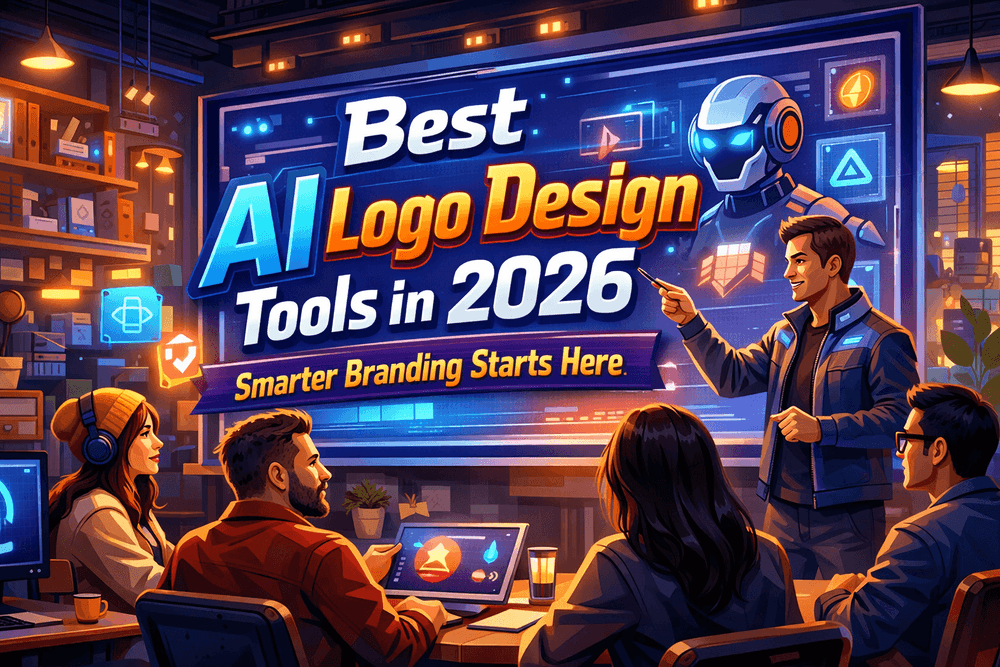
!AI logo generator guide 2026 — best tools for brand design reviewed
Best AI Logo Generators in 2026
1. Looka — Best AI Logo Generator for Professional Quality
Looka is the best AI logo generator for professional brand identity in 2026 — producing clean, versatile logos with full brand kit delivery.
Why Looka leads: - AI generates multiple logo concepts from your brand description and preferences - Professional vector (SVG) files with clean, scalable output - Complete brand kit: logo, business card templates, social media assets - High customization: adjust colors, fonts, icons, and layout - Industry-specific logo recommendations - Hundreds of professional font and icon combinations
Honest limitations: Subscription or one-time purchase required for commercial use files. The free preview gives low-resolution watermarked versions. Full commercial rights require purchase ($65 one-time or $96/year for brand kit).
Pricing: Basic logo package $65 (one-time). Brand Kit $96/year (logos + brand assets). Brand Kit subscription $192/year (unlimited downloads).
Best for: Startups, small businesses, and freelancers needing a professional logo quickly without a designer budget.
2. Canva AI Logo Generator — Best Free AI Logo Generator
Canva's built-in logo generation tools offer the best free AI logo generation — particularly for users already in the Canva ecosystem for marketing materials.
Why Canva works for free logo generation: - Free tier available with useful logo templates and some AI generation - Seamless integration with Canva's broader design tools - Easy customization within Canva's interface - Good for social media and digital-use logos - Extensive template library as starting points
Honest limitations: True AI-generated logos (vs. template-based) are limited on the free tier. Professional file formats (SVG) require Canva Pro ($13/month). Not as specialized as Looka for logo-first projects.
Best for: Canva users who want basic logo creation without an additional subscription.
3. Wix Logo Maker — Best AI Logo Generator for Website Builders
Wix's AI Logo Maker is ideal for users building a website on Wix — generating a logo that integrates directly with Wix website templates and branding.
Why Wix Logo Maker works: - Tight integration with Wix website builder - AI generates logos based on industry, style preferences, and brand name - Free preview with paid download for full files - Good for simple, clean logo styles
Honest limitations: Vector files require payment. Quality below Looka for complex designs. Best value for existing Wix users, not standalone logo creation.
Pricing: Free preview. Logo file purchase from $20.
Best for: Wix website users who want brand consistency across their website and logo.
4. Brandmark.io — Best AI Logo Generator for Unique Mark Design
Brandmark.io focuses on creating unique, memorable logo marks — the abstract or icon-based logos that become recognized brand symbols.
Why Brandmark stands out: - AI generates truly unique logo marks (not template combinations) - Strong at abstract, minimalist logo design - Color and typography suggestions based on brand personality - Good for tech, startup, and creative industry branding
Honest limitations: Less control over exact output than Looka. Higher price point for files. Better for mark-centric logos than wordmarks.
Pricing: Basic $25. Designer $65. Enterprise $175.
Best for: Brands prioritizing a unique, memorable icon mark over template-based design.
5. Adobe Express / Adobe Firefly — Best AI Logo Generator for Adobe Users
Adobe Express incorporates Firefly AI for logo creation — best for users in the Adobe ecosystem who want commercial-safe AI-generated design assets.
Why Adobe works: - Firefly AI is trained on licensed content — commercial use safety - Adobe Express provides templates and customization alongside AI generation - Integration with Illustrator for professional refinement - Strong typography and vector output quality
Best for: Adobe Creative Cloud subscribers and professional designers who want AI assistance within their existing workflow.
AI Logo Generator Comparison
| Tool | Quality | Free Tier | Vector Output | Best For |
|---|---|---|---|---|
| Looka | Excellent | Preview only | Yes (paid) | Professional brand identity |
| Canva | Good | Yes (limited) | Pro tier | Canva users, social media |
| Wix Logo Maker | Good | Preview only | Yes (paid) | Wix website users |
| Brandmark.io | Very good | Preview only | Yes (paid) | Unique logo marks |
| Adobe Express | Very good | Limited | Yes (paid) | Adobe ecosystem users |
The AI Logo Market in 2026
Data on AI logo generation:
- 74,000+ monthly searches for "AI logo generator" — strong demand from small businesses and entrepreneurs (DataForSEO, 2026)
- Looka served over 30 million logo generations through 2025 — the most widely used AI logo platform
- The global logo design market is valued at $4 billion, with AI tools disrupting the low-to-mid market (under $500 logo budgets) by providing professional-grade output at a fraction of traditional cost
- Small businesses using AI logo generators report average savings of $300-$800 compared to hiring freelance designers for equivalent quality logos (Looka customer survey, 2025)
- 68% of AI logo generator users are founding a new business or rebranding an existing one — the tool is predominantly used at brand launch moments
- AI logo quality has reached the point where venture-backed startups regularly use AI-generated logos for their initial launch — saving budget for product development
What to Look for in an AI Logo Generator
Vector output (SVG files): Essential for professional use. Vector logos scale to any size without quality loss — required for printing, signage, and applications. Avoid tools that only provide raster (JPG/PNG) output.
Commercial licensing: Verify you own the copyright to use the logo commercially. Most paid AI logo tools grant full commercial rights. Free tiers often include limitations.
Customization depth: The best AI logo generators offer adjustment of colors, fonts, spacing, and icon elements — not just static generation. Your brand needs to feel unique.
Brand kit vs. logo only: Consider whether you need just a logo or a complete brand kit (business cards, letterhead, social media templates). Brand kit packages from Looka and Canva provide consistency across all brand touchpoints.
FAQ: AI Logo Generator
What is the best AI logo generator? Looka for professional brand identity with full commercial rights. Canva for free logo creation integrated with design tools. Brandmark.io for unique logo marks. Adobe Express for Adobe ecosystem users.
Is there a free AI logo generator? Canva has free logo tools. Most professional AI logo generators (Looka, Wix, Brandmark) offer free previews but charge for commercial-use files. A truly free professional logo generator doesn't exist — free tools produce lower quality or watermarked output.
Can I trademark a logo made by an AI logo generator? In most jurisdictions, AI-generated logos can be trademarked if they're sufficiently distinctive and you own the commercial rights from the generating platform. Consult a trademark attorney for specific guidance. The key requirements are distinctiveness and commercial rights — confirm your license from the AI logo tool before filing.
What file formats do I need for a logo? SVG (vector) for maximum scalability. PNG with transparent background for digital use. PDF for print applications. Professional AI logo generators should provide all three. Avoid JPEG-only outputs.
How much does a professional AI logo cost? One-time logo purchases run $20-$175 depending on the platform and included files. Annual brand kit subscriptions run $65-$200/year. This compares to $200-$2,000+ for freelance logo design.
The Bottom Line
AI logo generators in 2026 deliver professional-grade logos for startups and small businesses at a fraction of traditional design costs.
Best choice by use case: - Professional brand identity: Looka — best quality, full commercial rights, brand kit available - Free with design tools: Canva — good enough for social media, limited for print - Unique mark design: Brandmark.io — best abstract logo generation - Adobe ecosystem: Adobe Express with Firefly — commercial-safe, integrates with Illustrator
74,000 searches per month for AI logo generators reflect real demand from founders and marketers who need professional brand assets quickly. Start with Looka's free preview to evaluate quality — then invest in the commercial license when you're ready to launch.